A. Introduction:
As mention in the previous article about lab 3, we will be doing a Pong game using 6502 assembly language. Please click here to view the code in raw
B. Code explanation:
Note: I will skip the self-explanatory parts to avoid a lengthy article
I. Predefined address and constants:
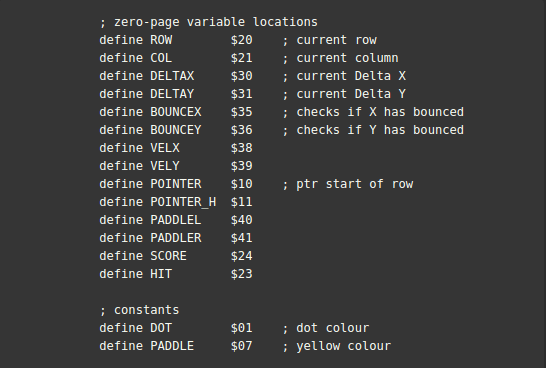
We need to define names for the zero page addresses because it’s hard to memorize them
- As discussed in the theory article, we need the values ROW and COL to confirm coordinate
- DELTAX and DELTAY indicate the number of pixels the ball will move in X (horizontal) and Y (vertical) directions
- BOUNCEX and BOUNCEY act as booleans to see whether the ball has collided with the X (Left and right edge) or Y (Top and bottom edge)
- VELX and VELY are used to store the velocity of the ball
- PADDLEL and PADDLER are used to store the value of paddle
- SCORE stores the value of current score
- HIT is a counter used to determine if the paddle has hit
- DOT is a constant represent the black color ($01)
- PADDLE represents yellow color ($07)
II. Bitmap:
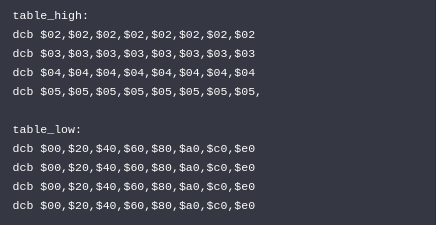
- This marks all the row and columns of the bitmap, we will use this to move the pointer around the map
III. Draw ball loop:
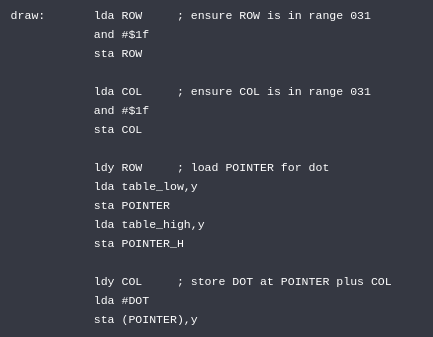
- The first 2 blocks ensure the value of ROW and COL (which indicates the location of the ball) don’t exceed the bitmap value
- Then, we point the pointer the location of the ball and load the color of the ball to that location. The predefined color here is white
IV. Draw paddle loop:
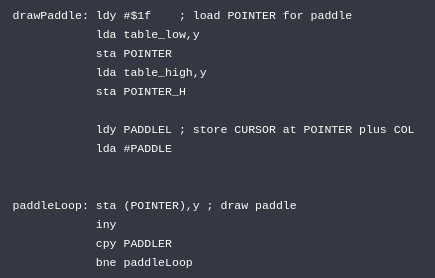
- First, we change the location of the pointer to the last line
- Then, we load the color code for paddle
- Finally, we loop until the paddle is completed using the value PADDLEL and PADDLER
V. Edges collision:
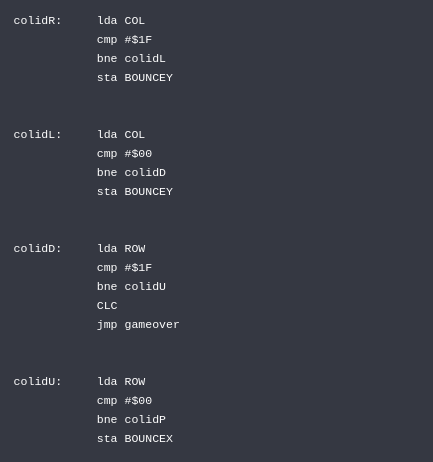
- Before performing bouncing operation off the left and right edges, we need to compare the vertical location of the ball with the edges ($00 and $1F) using the COL value. After that, we set the boolean value BOUNCEY to true
- Similarly, we also compare with $00 for the top edge. However, we use the value ROW and set the boolean BOUNCEX to true
- Lastly, if the ball touches the bottom edge (compare with $1F), we perform gameover squence which only contains 1 instruction to stop the game
VI. Paddle collision:
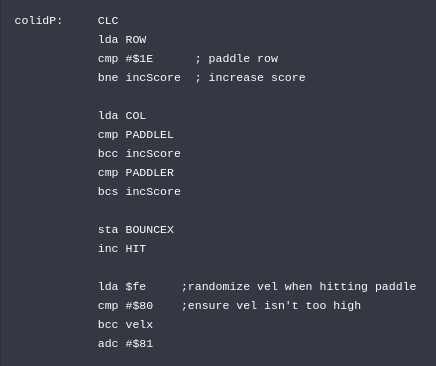
- To confirm that the ball has collided with the paddle, the ROW value must be in the same row the paddle is at and the COL value must be in one of the column of the paddle
- If both conditions are met, we increase the score using incScore sequence and set the boolean BOUNCEX
- Finally, we randomize the velocity to make sure the speed of the ball is slow enough for us to see
VII. Increase score:
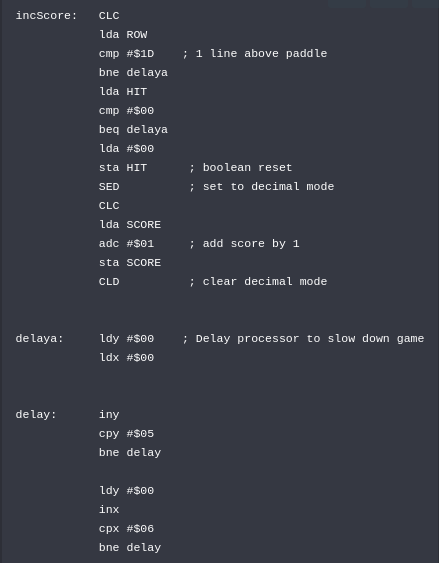
- To count as a hit, the ROW of the ball must be one line above the paddle which is $1D.
- As mentioned above, the game needs to slow down so that players can see where is the ball, that is why we have the 2 following sequences that causes the program to go through the entire bitmap
- As for the score, we switch to decimal mode to perform decimal addition, add the score by one and change back to hex mode
VIII. DeltaX and DeltaY calculation:
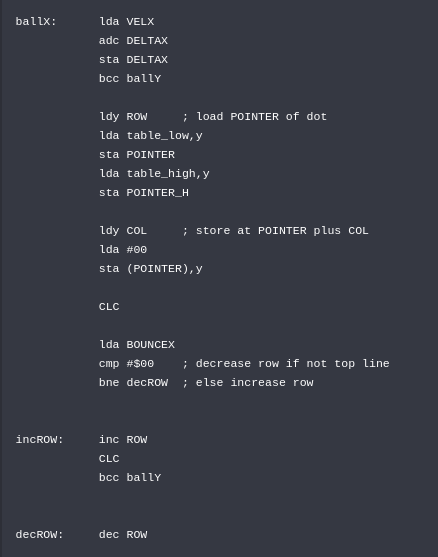
- We first load VELX to perform add with carry operation. This will determine how the ball will move in X direction. If carry flag is set, we go to ballY sequence to decide the Y direction as well
- Then we load the current location of the ball and set that pixel to black to make the ball disappear
- Finally, we use incRow or decROW to change the current row of the ball depends on its previous location
- Similarly, we perform the same operations in ballY. The difference is that we suitable values for Y direction instead
IX. Paddle movement:
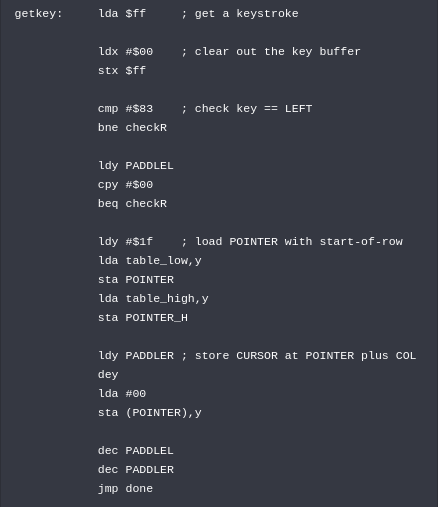
- First, we retrieve the keystroke and clear it for upcoming keystroke. If the key is not left (ascii code$83) then perform right key check
- To move the paddle to the left, we simply change the color of the right most pixel of the paddle to black and decrease the value of PADDLER and PADDLEL because the paddle moves to the left
- Then, when we loop to the drawPaddle sequence above, the paddle will be drawn again
- Similar operations are performed in right key check but we increase the value of PADDLEL and PADDLER instead
C. Conclusion:
This article explained the code elements of the Pong game project, it didn’t mentioned a few sequences and blocks that are self-explainatory. If you wish to see the full code, please visit here
 SPO600